Before you go, remember: Nutrition is not an overnight thing. Supplements work best when taken consistently over time — skipping days or weeks can slow your progress. If you’re pausing because you have too much product, you can always adjust your delivery schedule instead of cancelling.
You can learn more information about how and why consistent use is important for your product, by checking out our Product Success Guide. Your future self will thank you for staying consistent.
While we hate to see you go, we understand there may be times that you'll need to cancel or pause your subscription. We've put the access to do so at your fingertips. You can cancel or pause your subscription (and any future orders) by logging in to your subscription portal here, or by contacting us.
You will receive a reminder email 3 days before a subscription order is processed, and cancellations must be requested at least 24 hours before the order processes. Any cancelled subscriptions that are later reactivated are subject to our current shipping policy.
To cancel your subscription via your account, follow the steps below:
Mobile
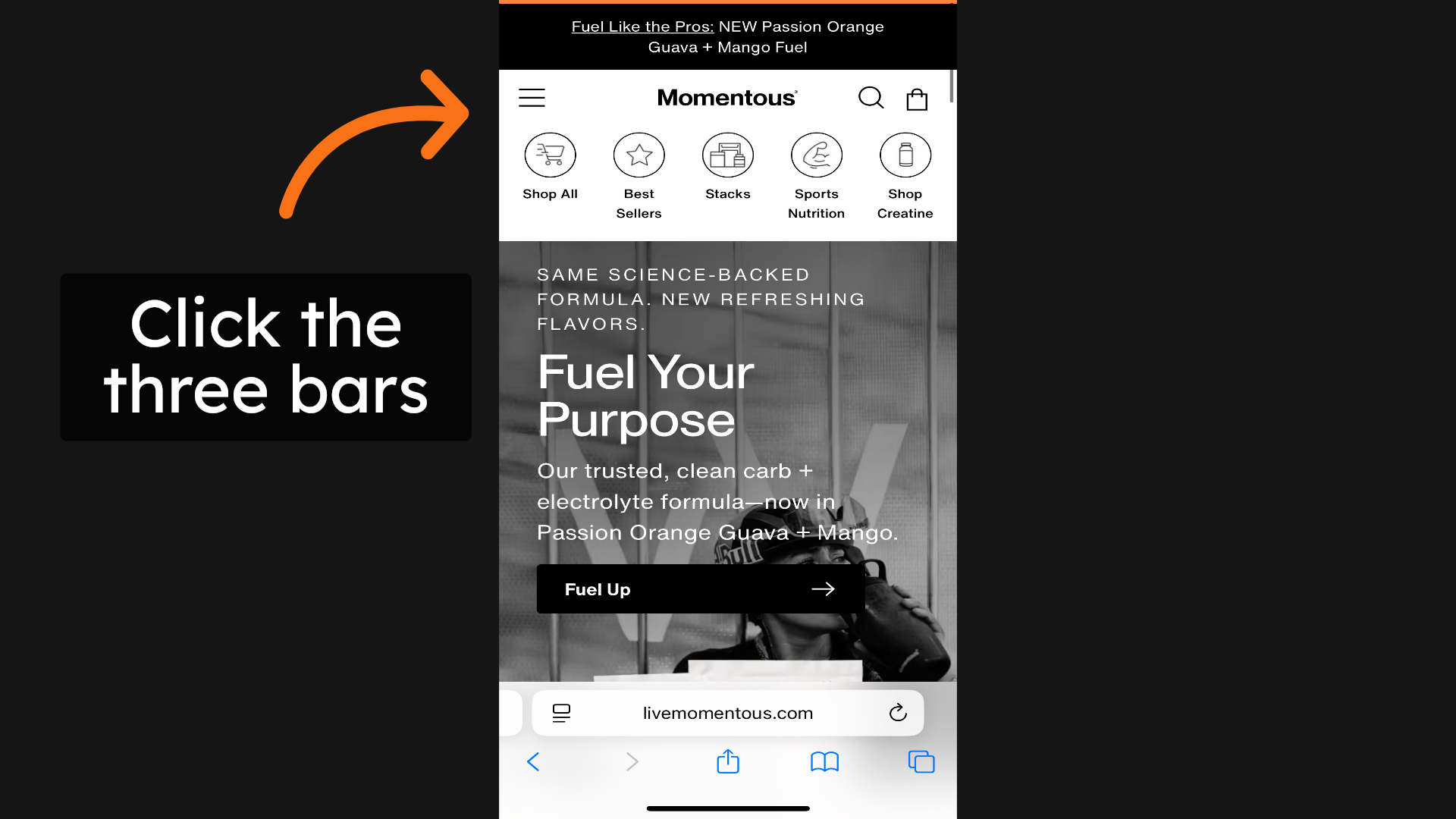
1. Click the three bars
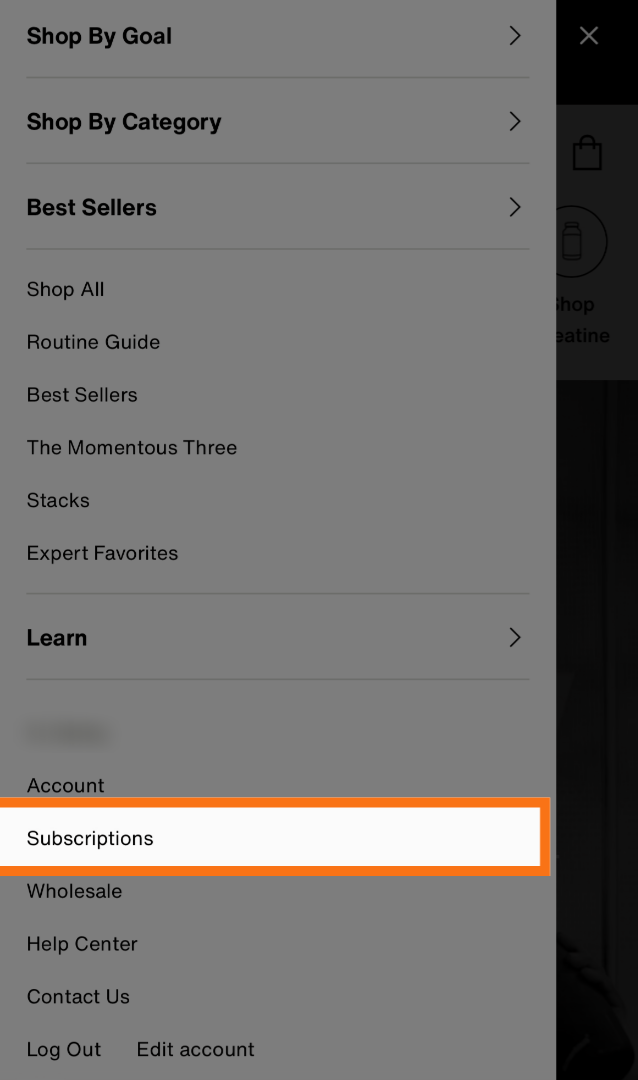
2. Select "Subscriptions"
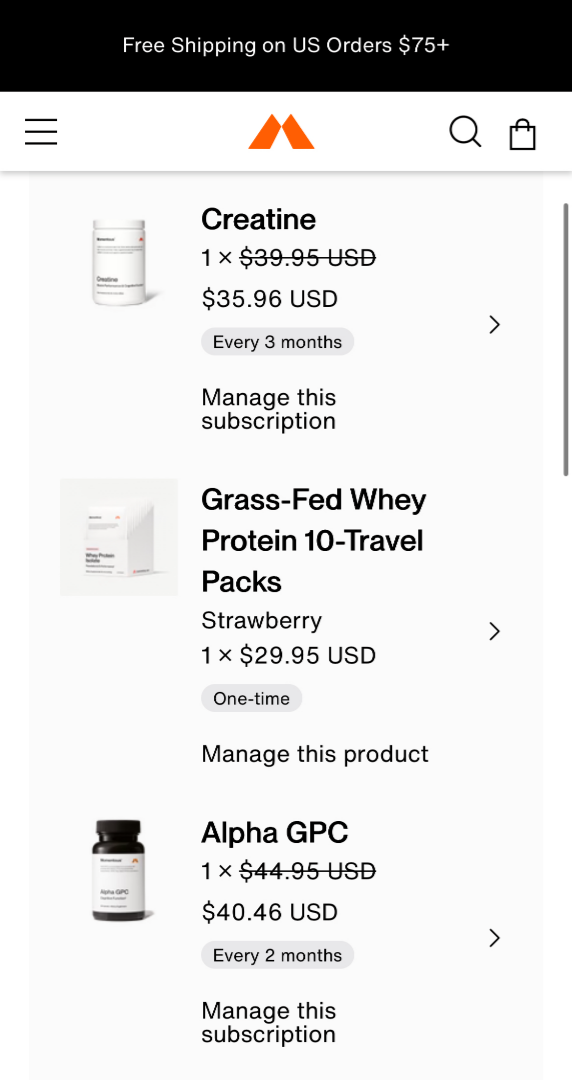
3. Select the product you want to cancel
4. Select "Cancel Subscriptions"
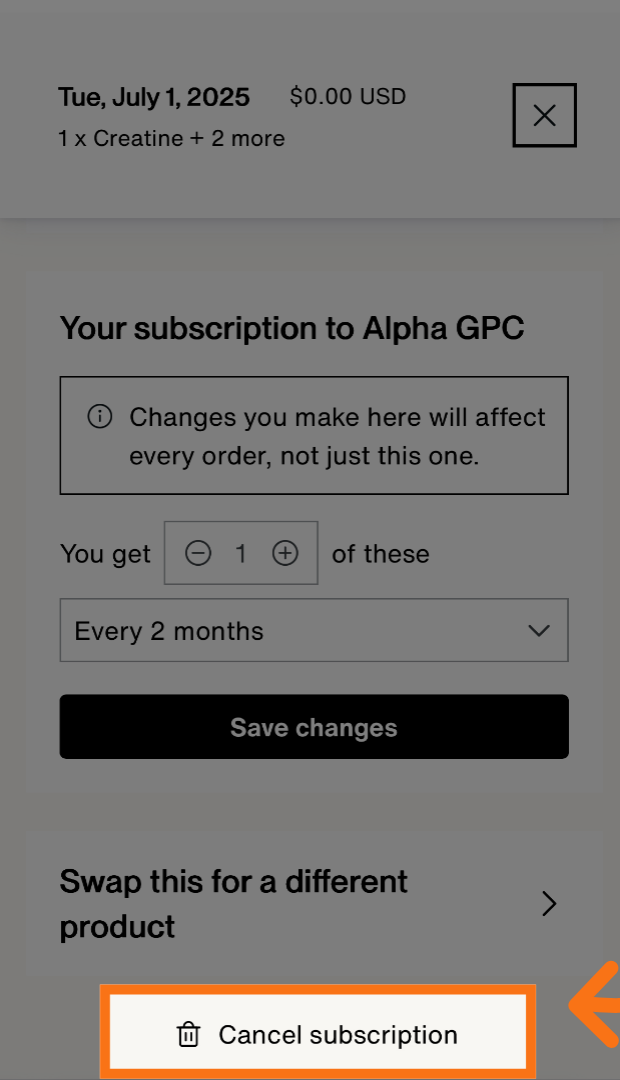
5. Select the Option you want
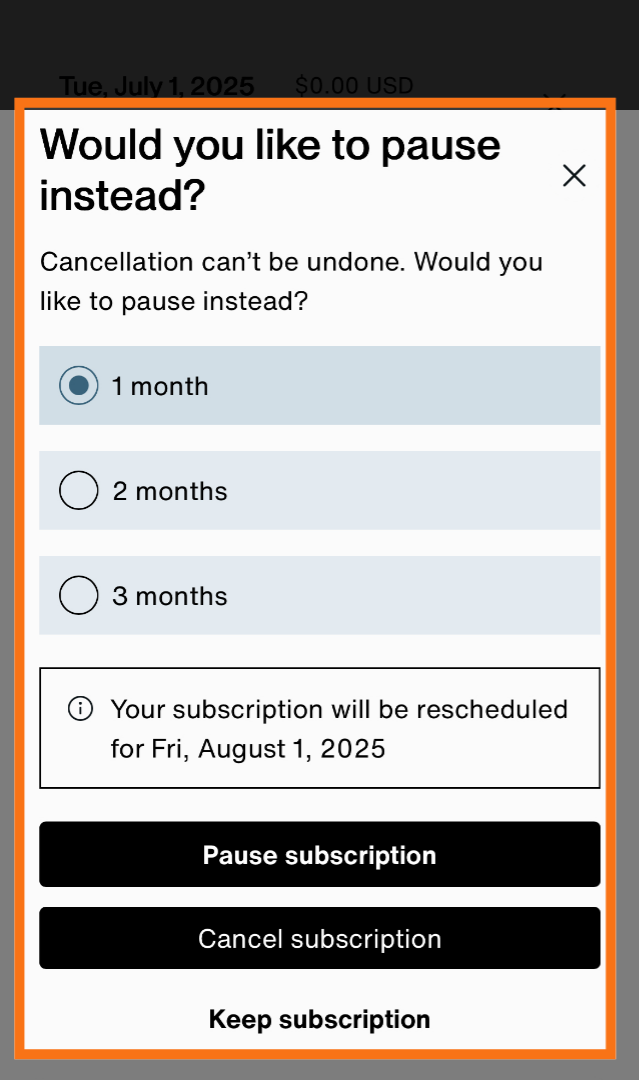
6. Select a reason for cancelling
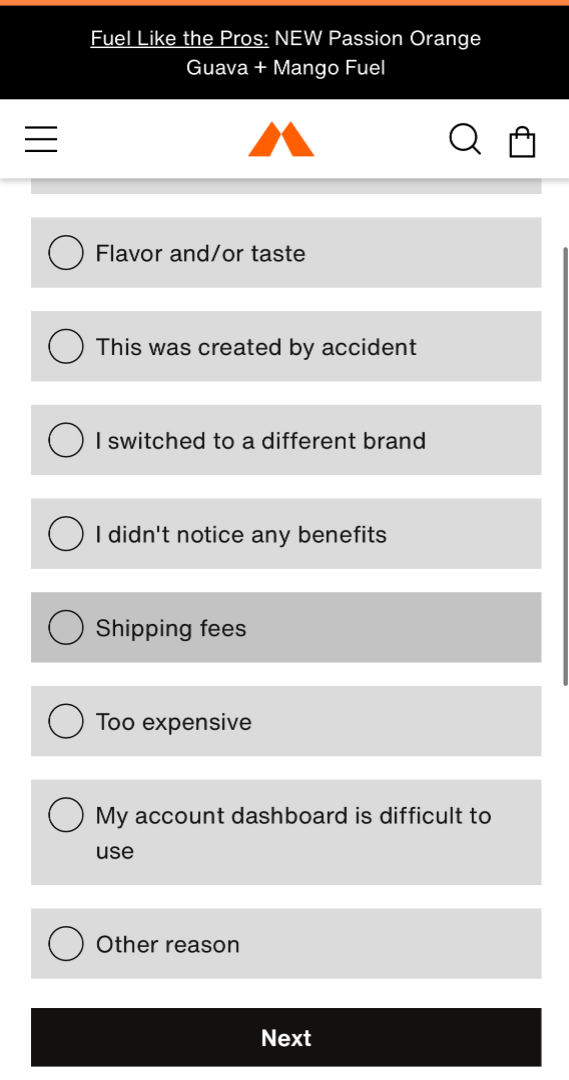
7. Select Cancel, Skip, or Apply Discount
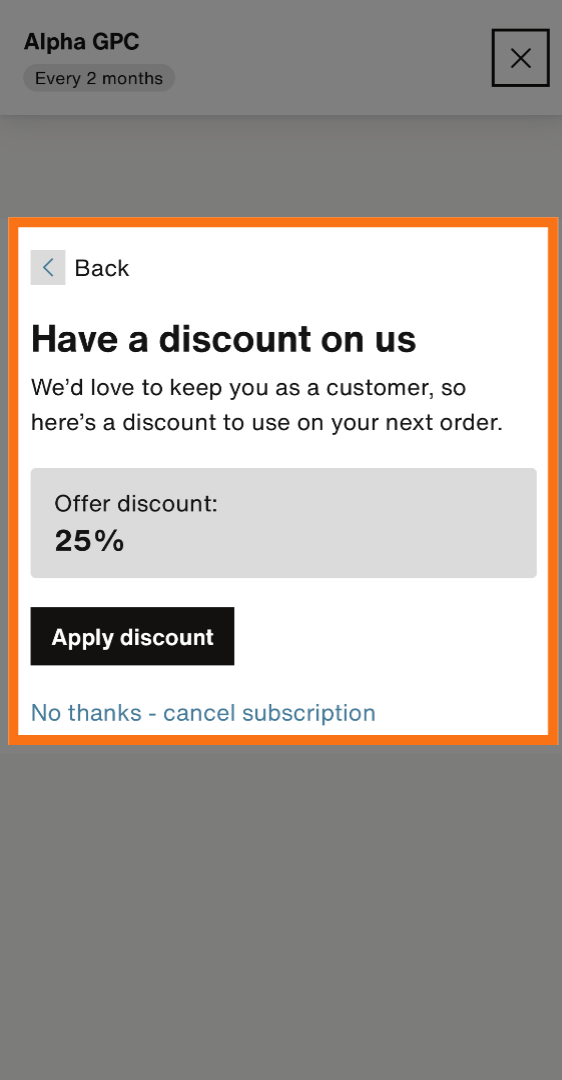
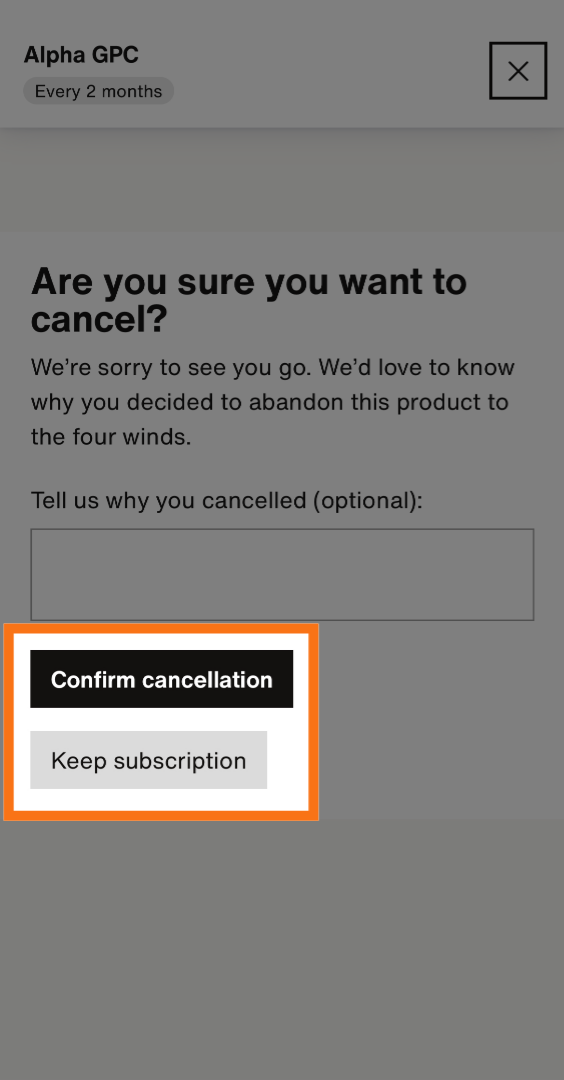
8. Select "Confirm Cancellation"
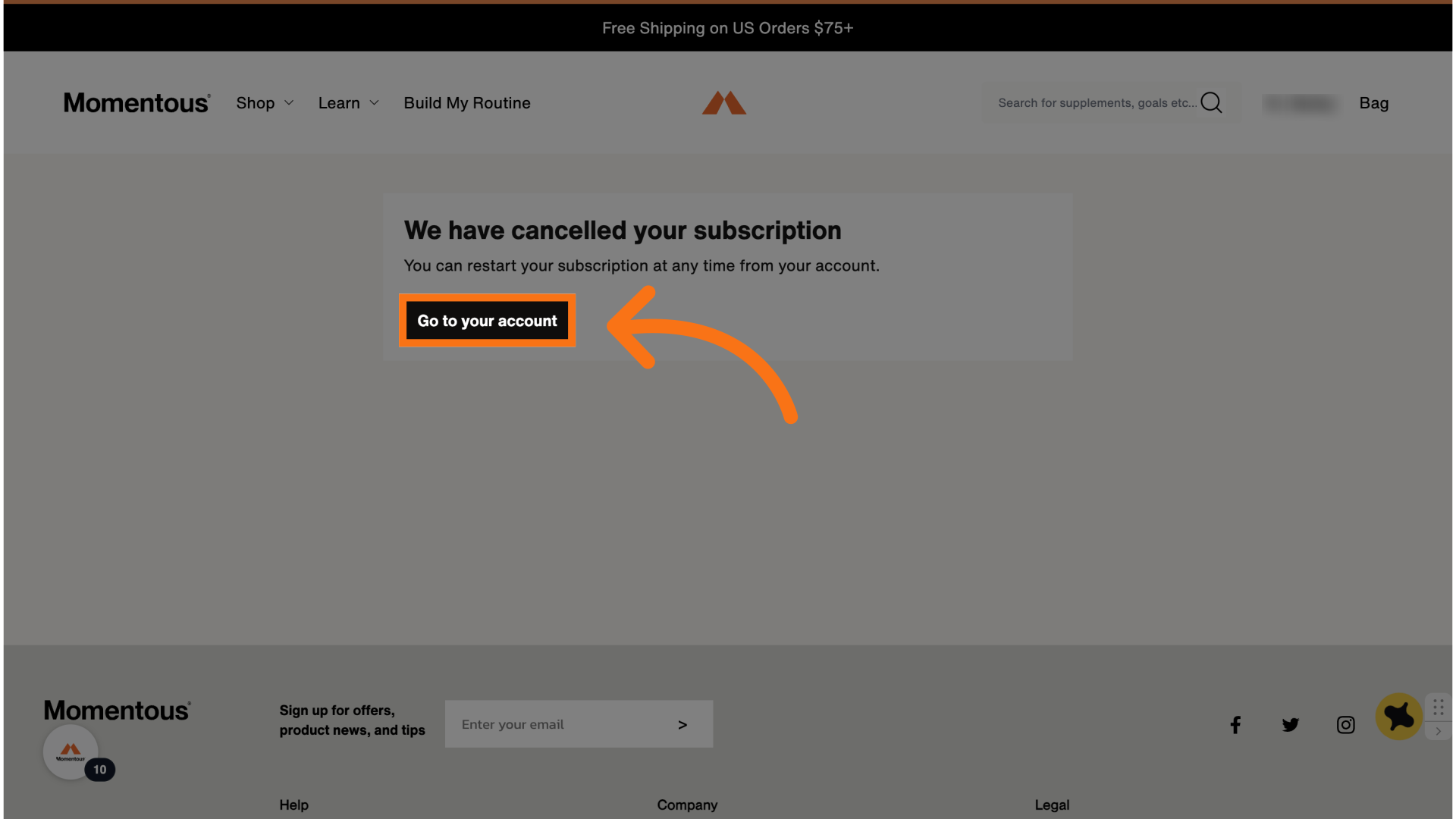
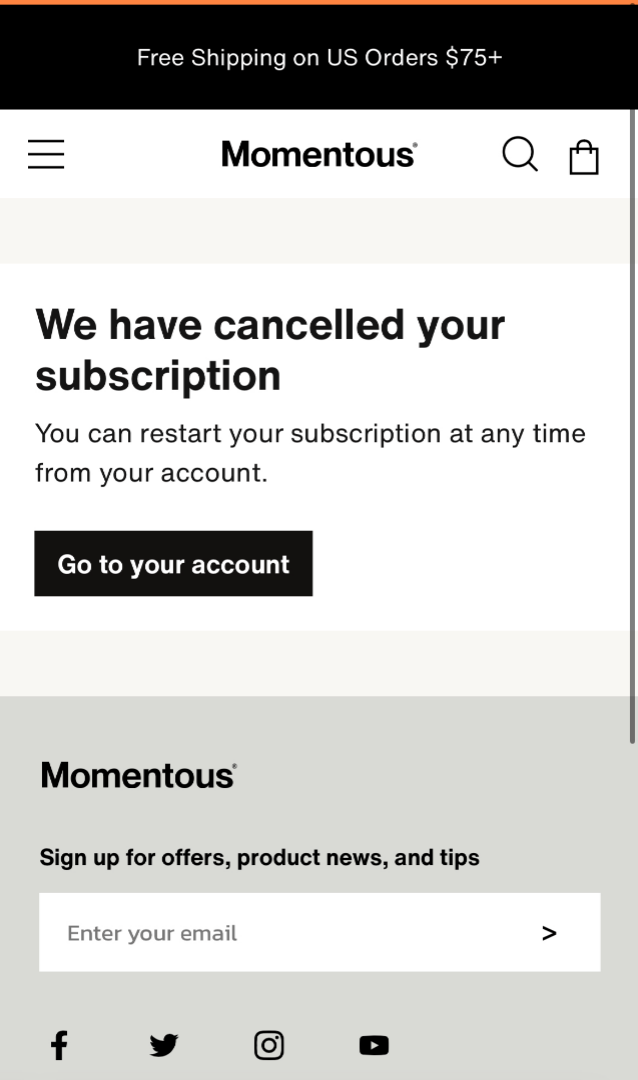
9. Select "Go to your account"
Desktop
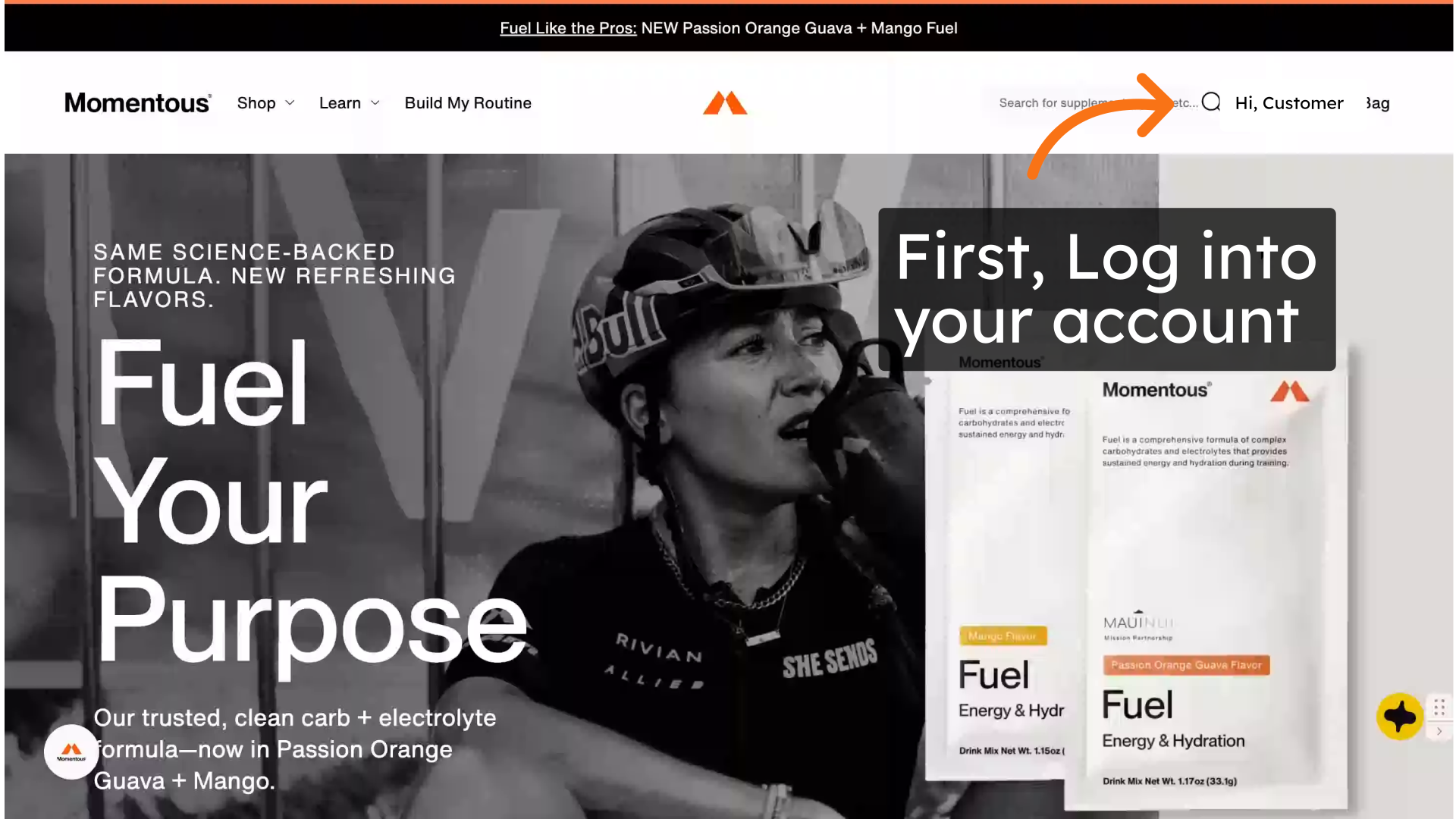
1. Log into your account
Select your name, this will bring a menu down.
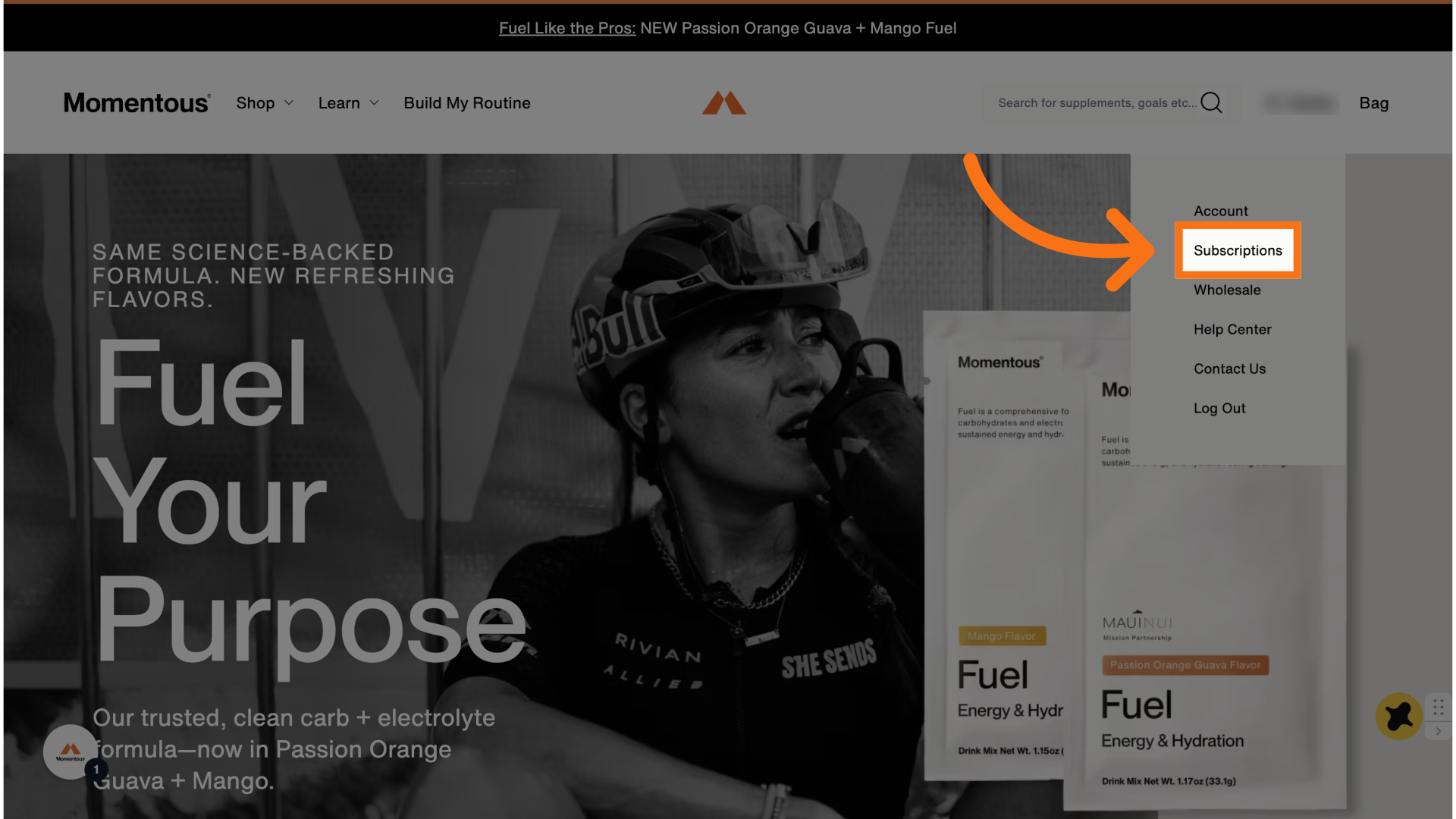
2. Click "Subscriptions"
3. Select the product you'd like to cancel
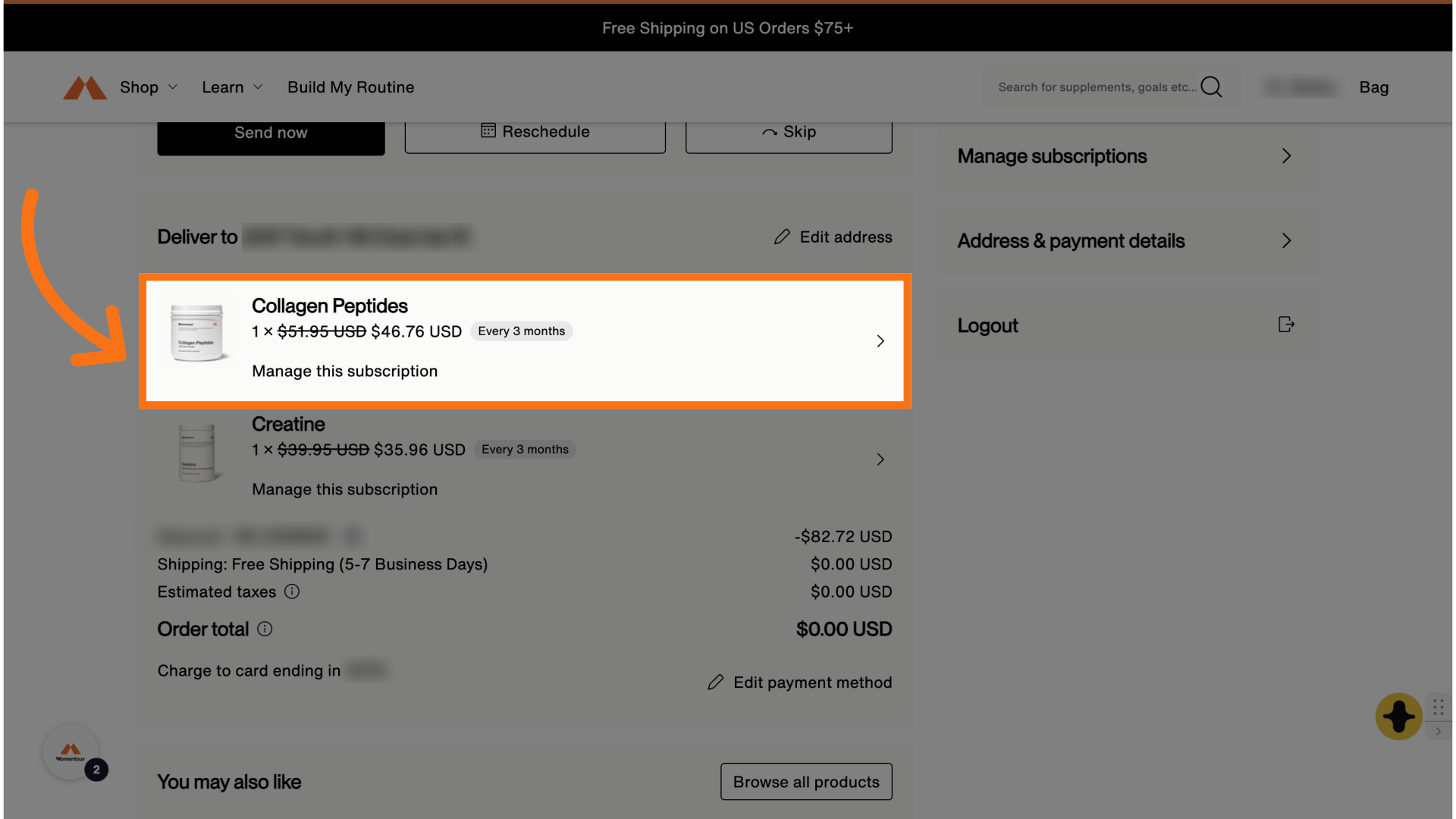
4. Click "Cancel subscription"
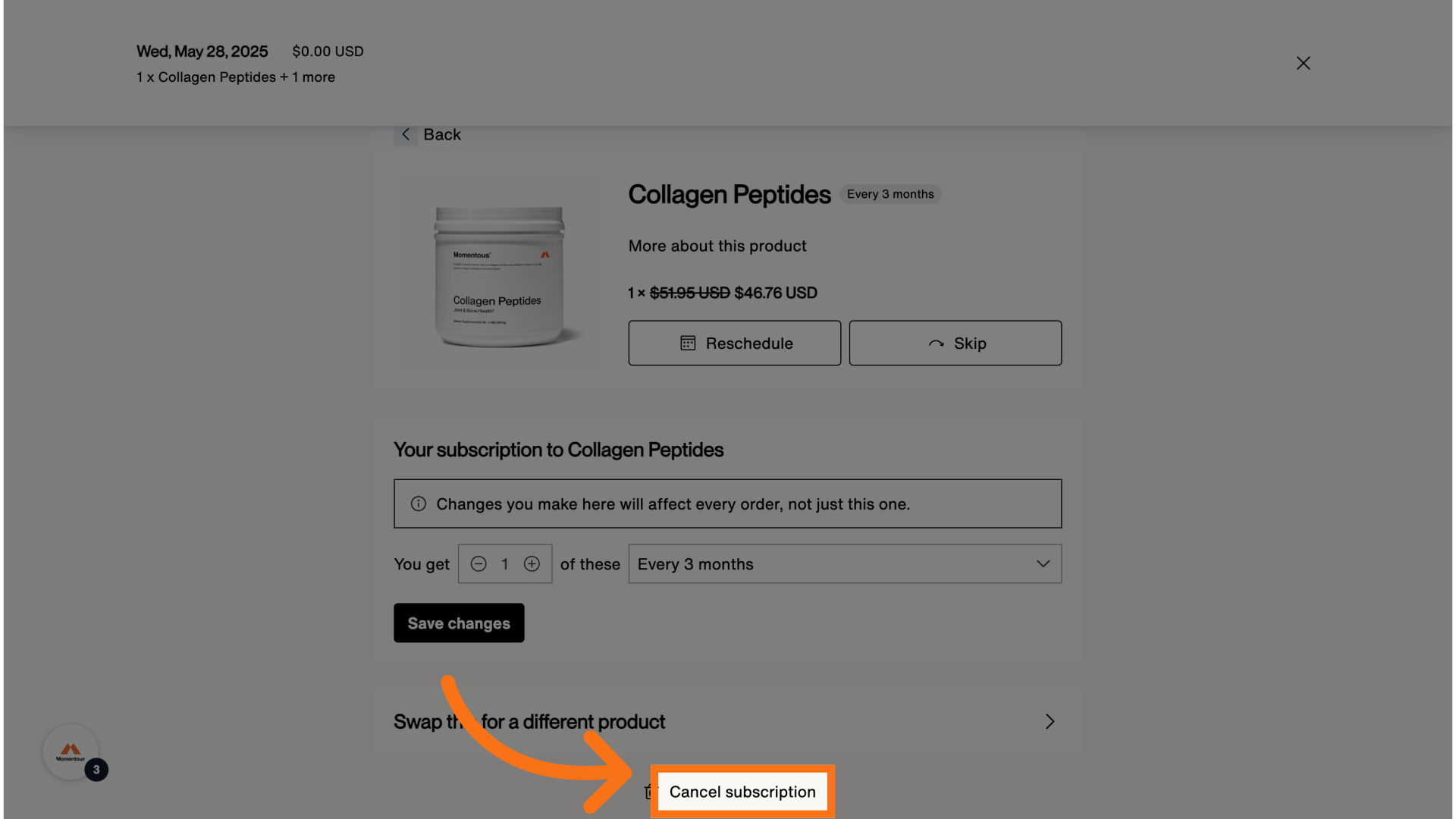
5. Click "Cancel subscription"
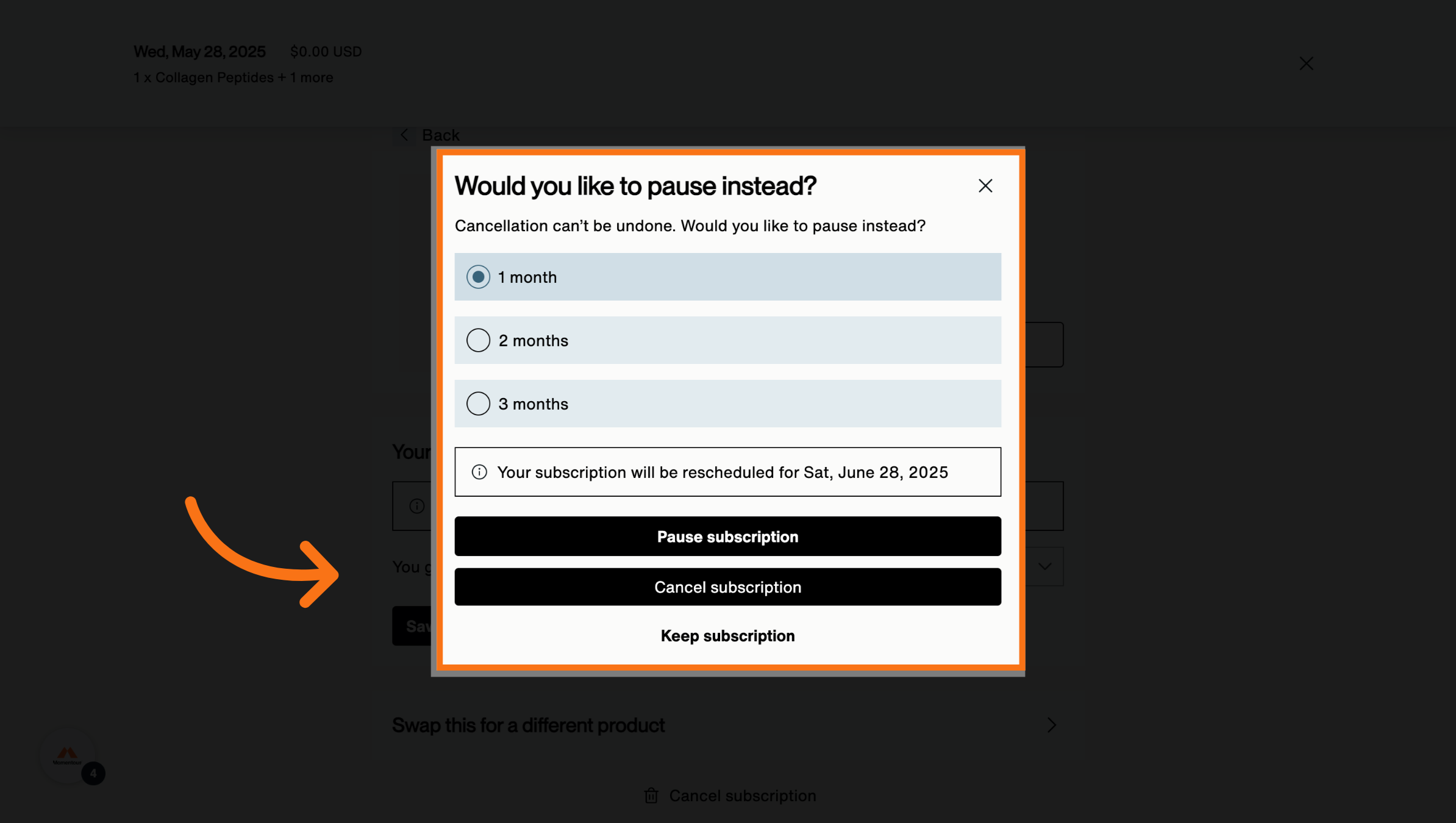
6. Select a reason for cancelling
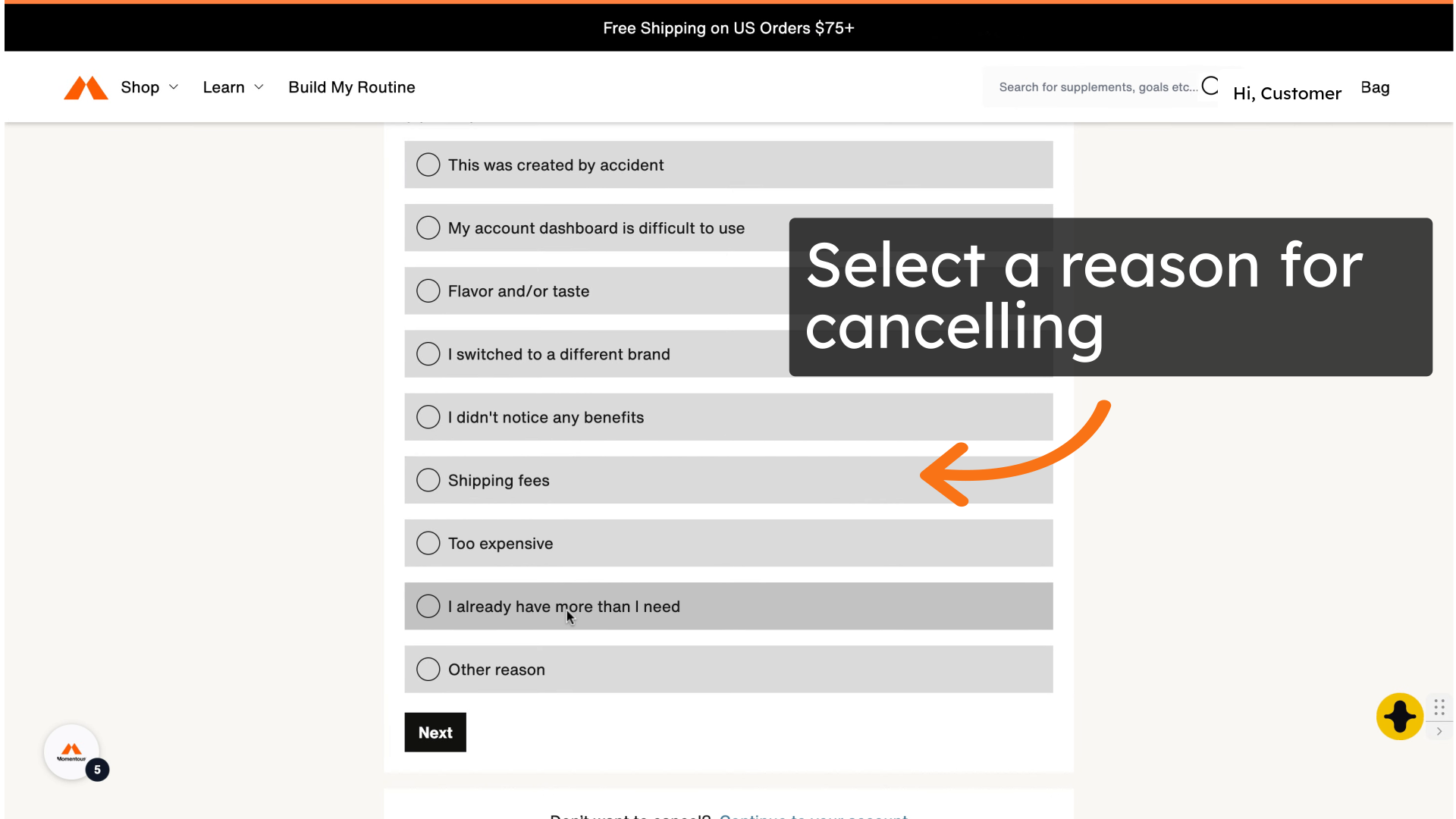
7. Select the option you prefer
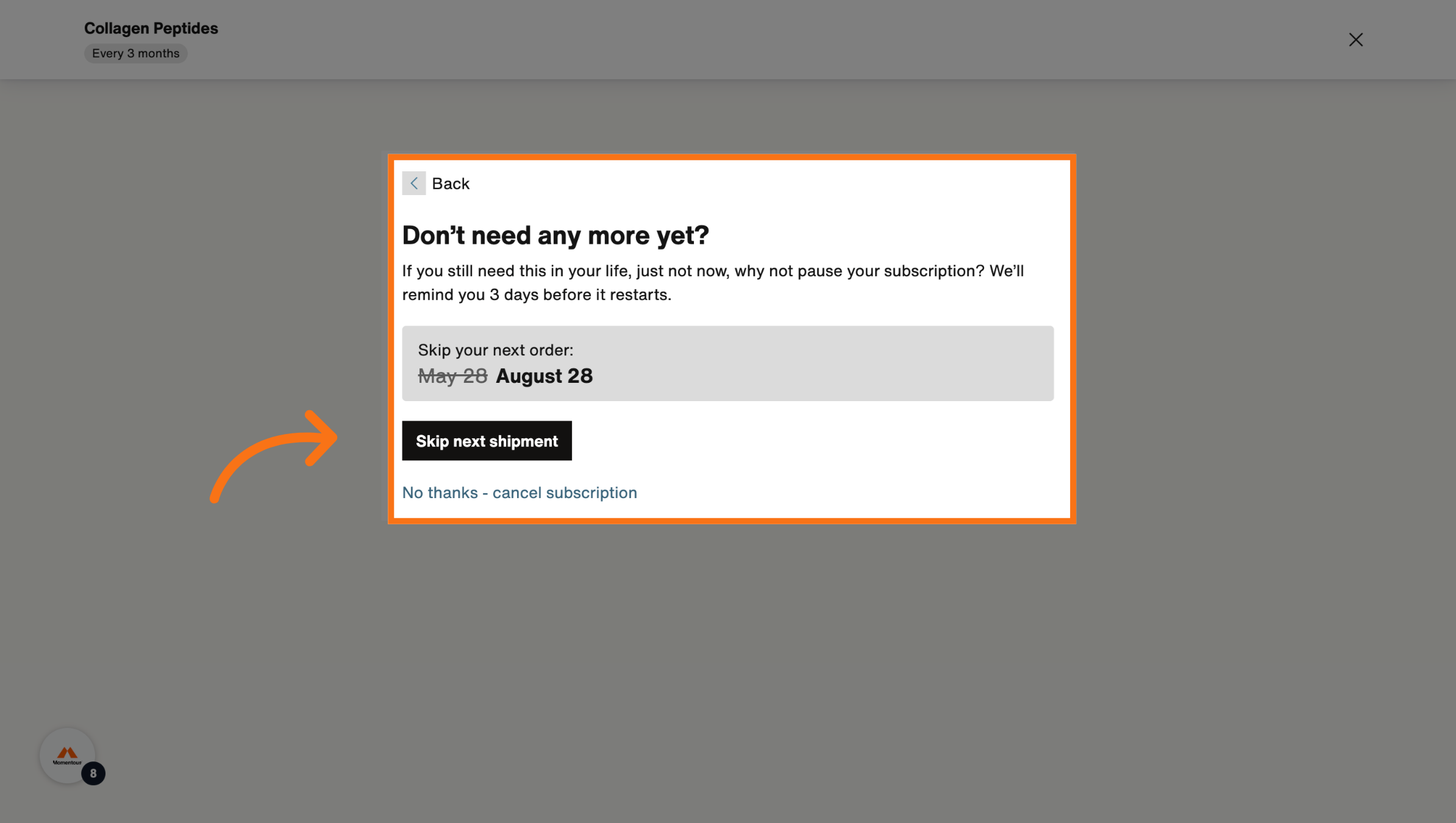
8. Click Confirm or Keep Cancellation
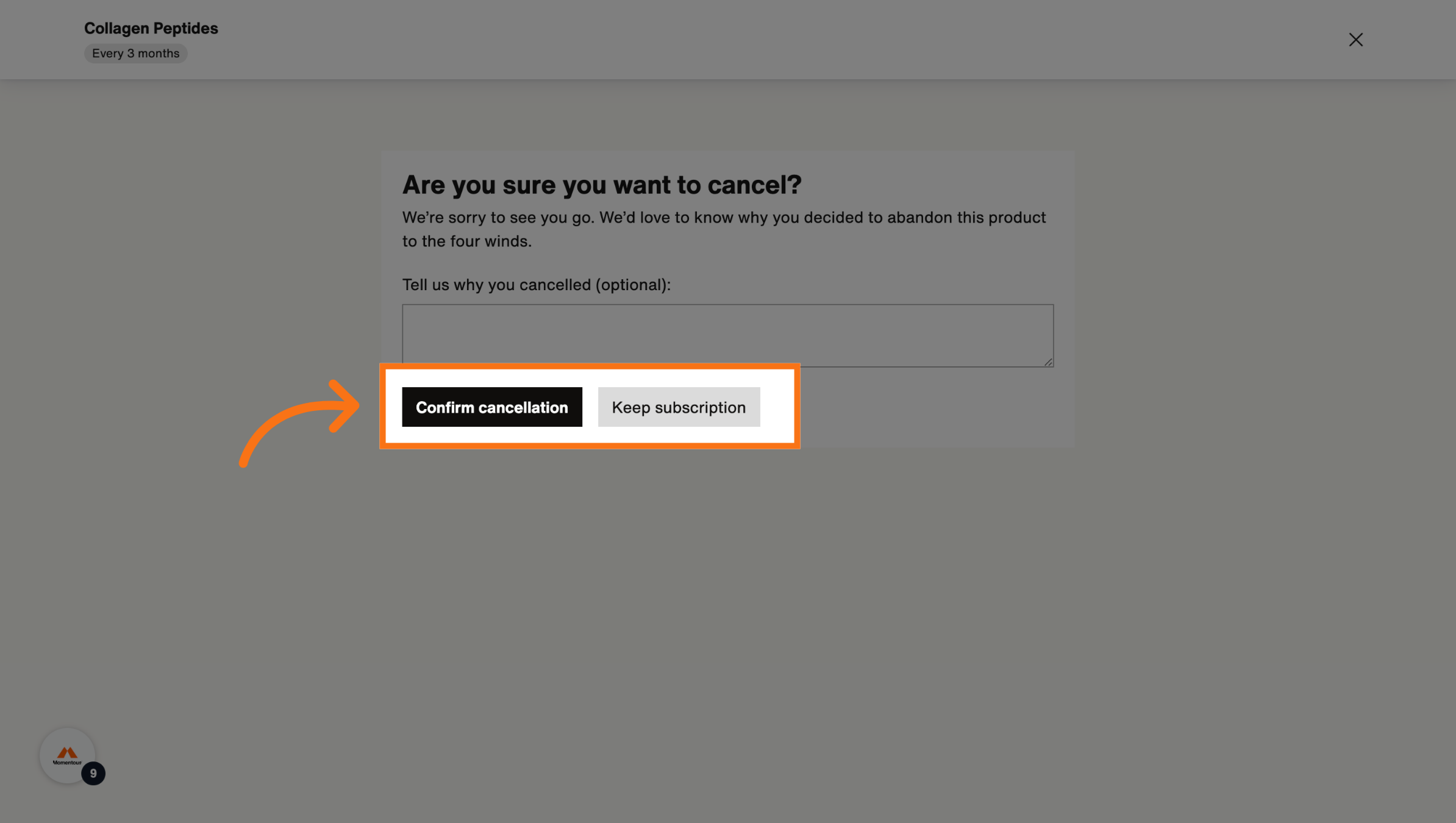
9. Click "Go to your account"
This will confirm you subscription has been cancelled.