Once an order is placed, you have 60 minutes to cancel your order. You can follow the directions below, or click here to get started. Please note that all automatic shipments must be cancelled 24 hours prior to processing to ensure your order does not begin fulfillment.
After 60 minutes, your order has started the fulfillment process and is unable to be cancelled or changed. We work quickly to get your product(s) to you as soon as possible. If an order is placed for a product that is out of stock or on backorder and you'd like to cancel, please contact us.
For all future automatic shipment orders, you will receive a notification of your upcoming order at least 3 days prior to the order being processed. You can modify, change, or update any future order through your account by logging in here and clicking on 'Subscriptions'.
How to cancel:
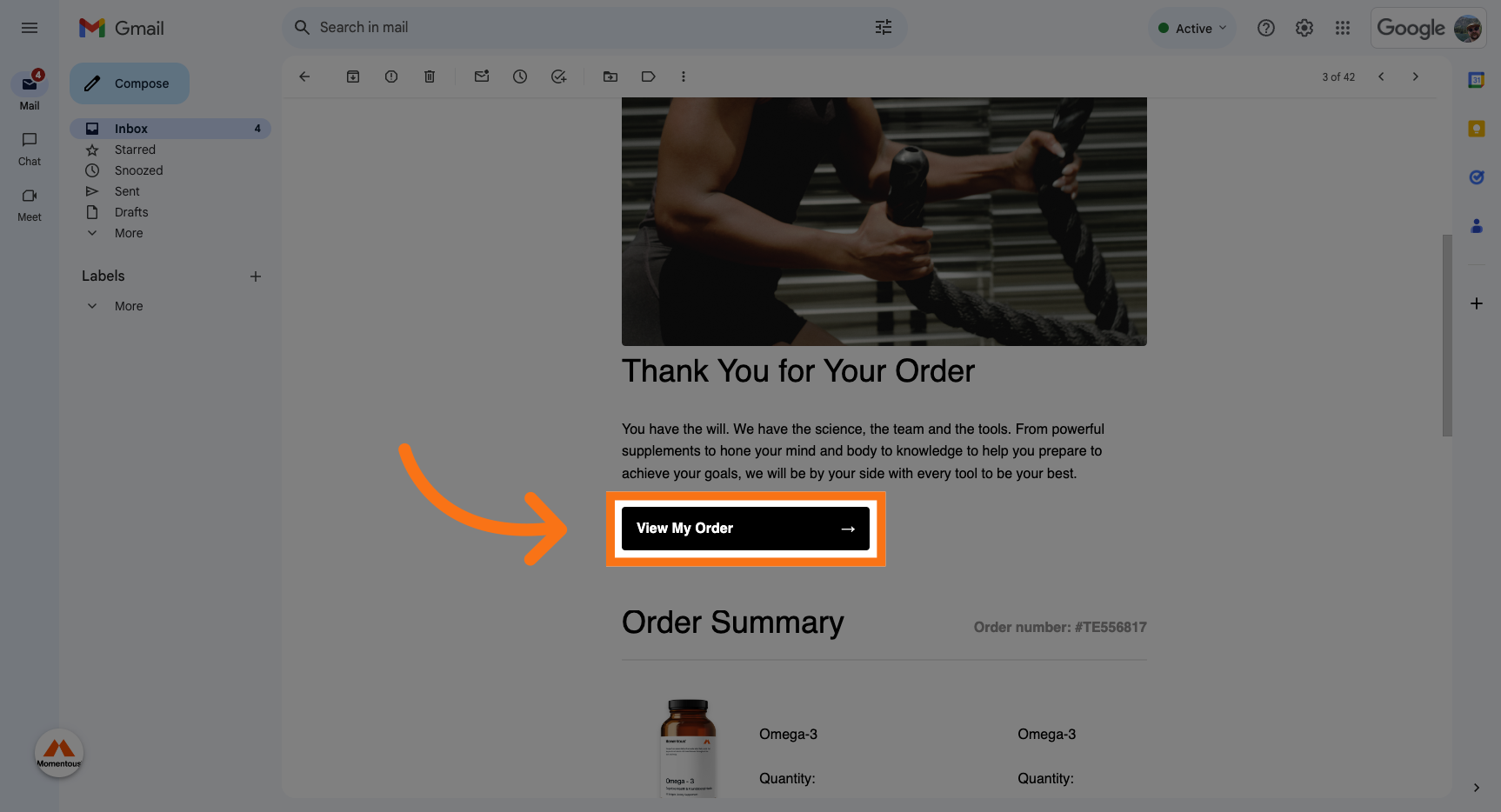
1. Click "View My Order" on your order confirmation email.
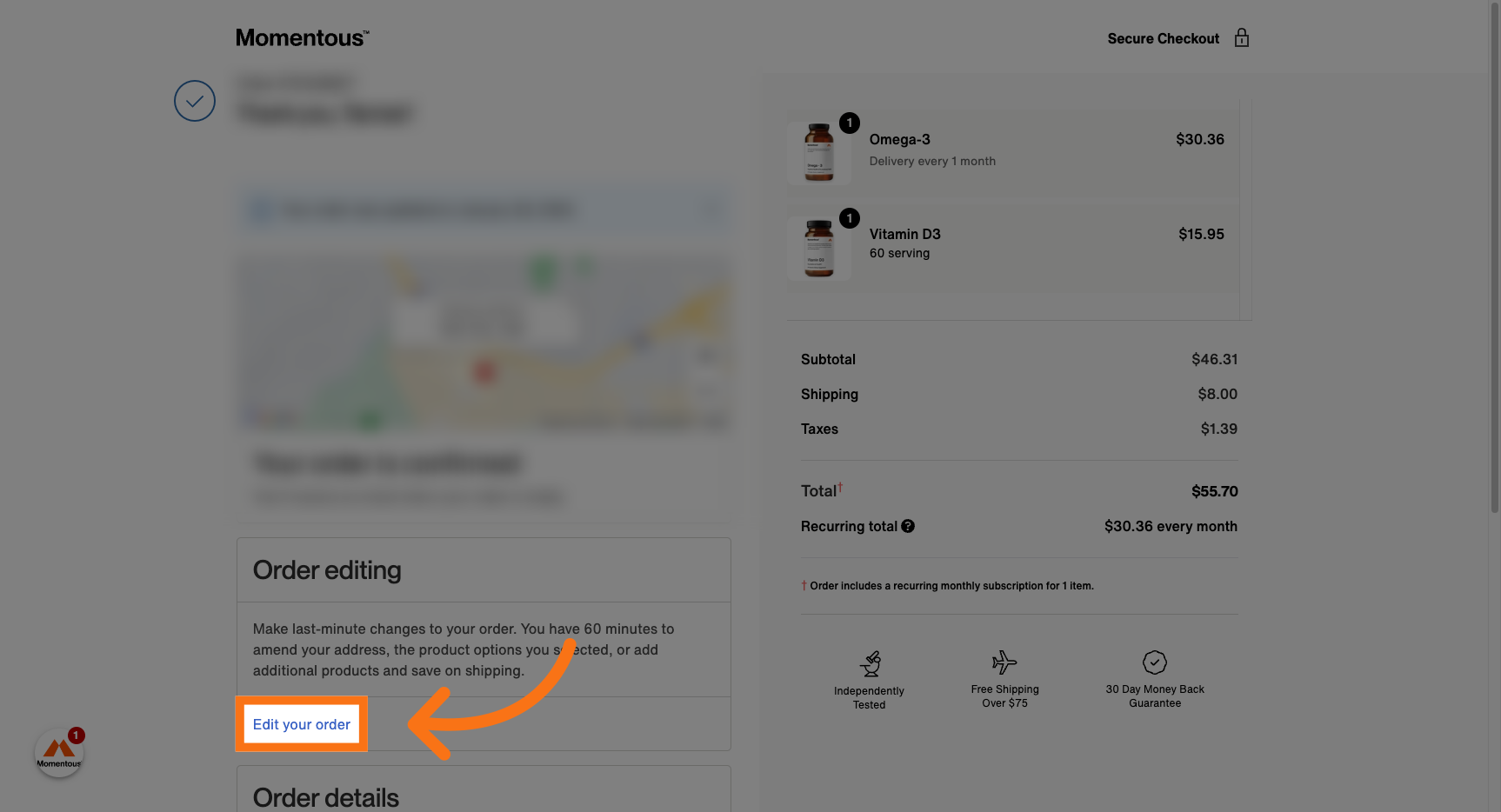
2. Click "Edit your order"
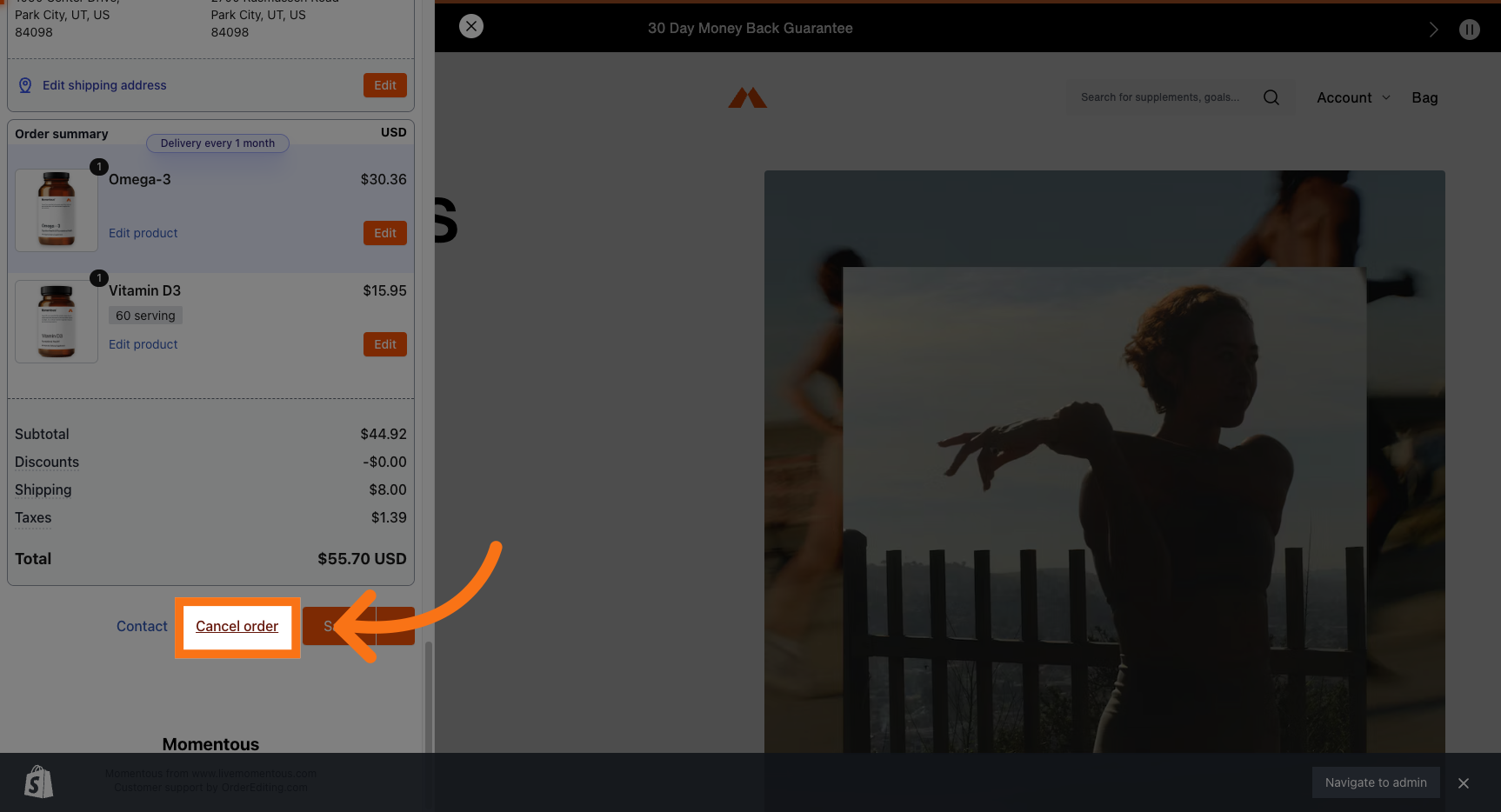
3. Scroll down to the bottom, and click "Cancel order"
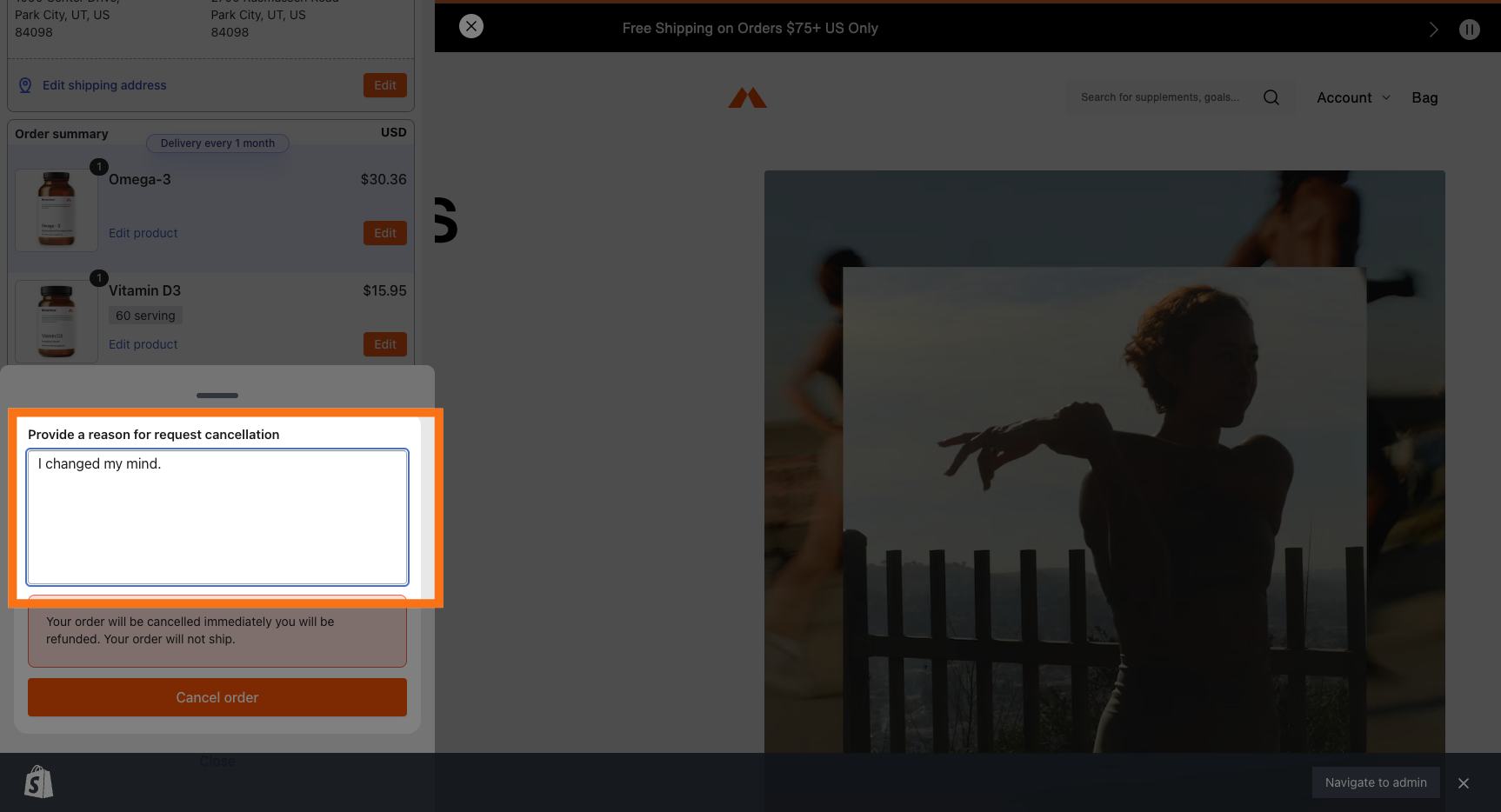
4. Add your reason for cancelling.
5. Click "Cancel order"
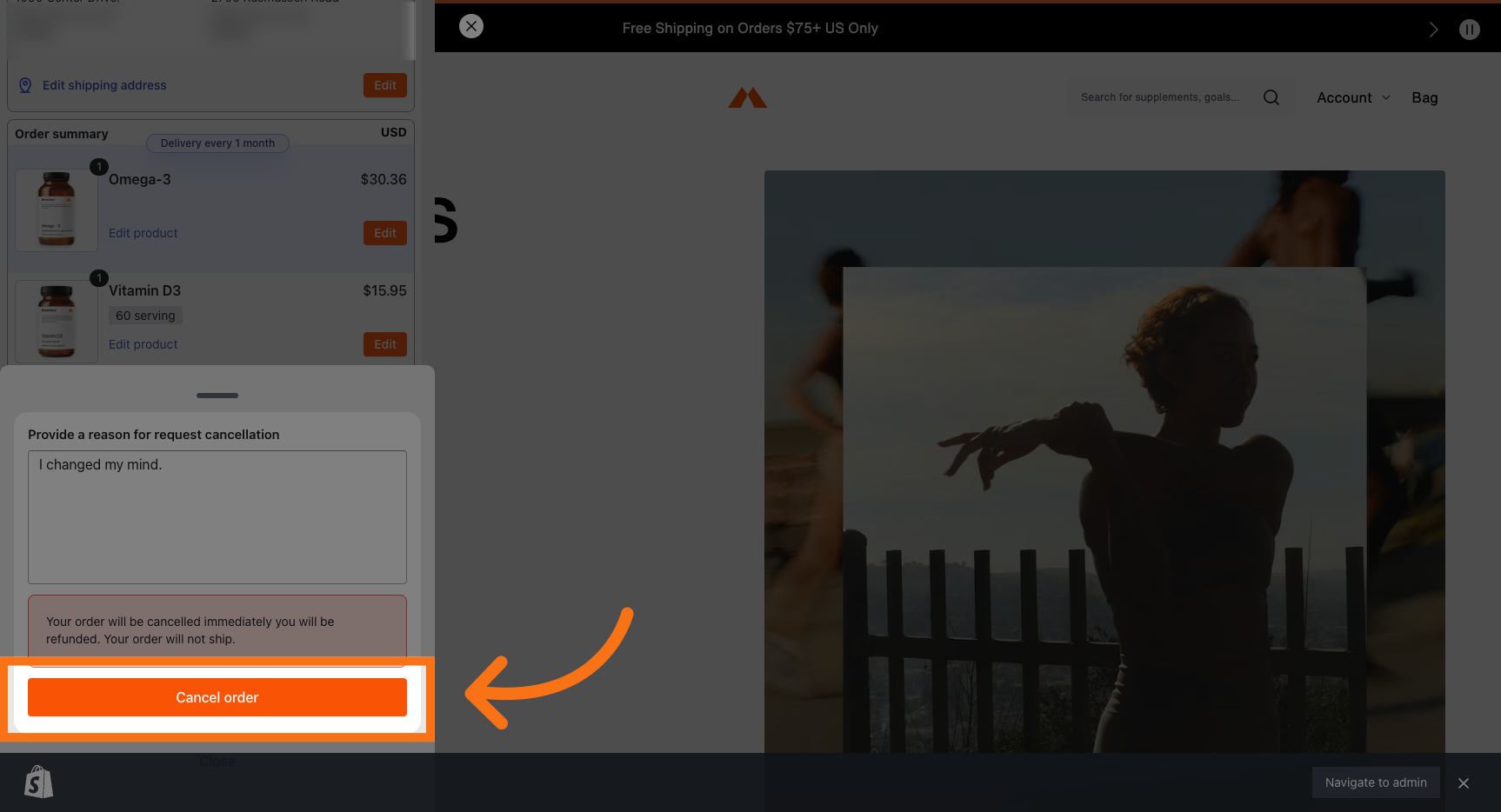
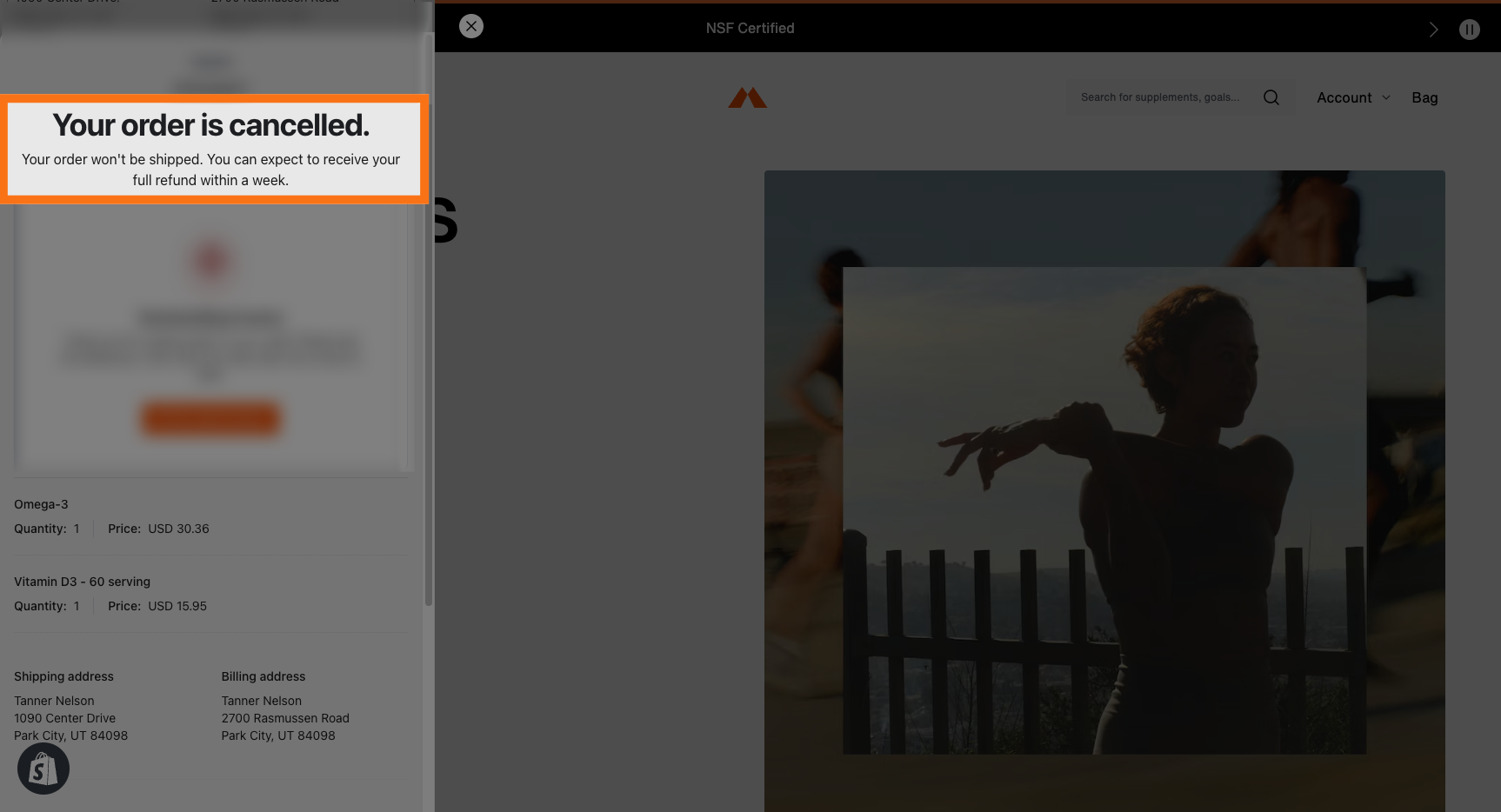
6. Your order is now cancelled.